From white-label dashboards to AI search diagnostics, compare the top SEO reporting tools built for agency workflows, multi-client management, and automated delivery.
Dageno: Best for agencies that want to add AI search diagnostics to traditional SEO reports. Its free SEO and GEO/AEO report and free Brand Explorer are useful for prospect assessments and AI search sections in monthly client reports. Agencies can upgrade to a paid plan when they need ongoing monitoring and scheduled reporting.
AgencyAnalytics, DashThis, and Whatagraph: Best for agencies that need white-label dashboards, automated reports, and more efficient monthly client deliverables.
Semrush, Ahrefs, and SE Ranking: Best for teams that want rank tracking, keyword research, site audits, competitive analysis, and reporting within a broader SEO platform.
Google Search Console, GA4, and Looker Studio: Best for agencies that prefer to build their own reporting systems from first-party search, traffic, and conversion data.
Raven Tools: Best for teams that prefer conventional SEO/PPC reports, drag-and-drop report building, and recurring delivery.
When choosing SEO reporting tools for agencies, look beyond attractive charts. Evaluate data sources, client permissions, white-label options, scheduled delivery, integrations, API access, project limits, and scalability of costs.
At first glance, agency reporting seems as simple as putting rankings, traffic, and conversion metrics into a PDF. But when a team serves multiple clients, the real work lies in collecting data across platforms, checking metric definitions, building charts, and turning changes into actionable recommendations that clients understand. The right SEO reporting software reduces repetitive production work so the team can spend more time on analysis and optimization.
As AI search becomes another way customers discover brands, conventional rankings and organic traffic reports no longer tell the whole story. Agencies increasingly need to explain Google search performance, website engagement and conversions, and how brands appear in AI-generated answers—including citations and gaps against competitors.
11 SEO Reporting Tools for Agencies Compared
Tool
Best for
Standout feature
Starting price (reference)
Dageno
Quick AI search (GEO/AEO) diagnostic reports for clients and prospects
Free SEO and GEO/AEO reports, free Brand Explorer, white-label options, MCP
Ongoing monitoring from $49/month
AgencyAnalytics
Fast white-label reporting across SEO and other marketing channels
White-label dashboards, automated reporting
$79/month
Semrush
Combining SEO research, implementation, and reporting
My Reports report builder
$139.95/month
SE Ranking
Branded client reporting with built-in SEO tools
White-label platform
$129/month
Google Search Console
First-party Google Search reporting data
Bulk export to BigQuery
Free
Google Analytics 4
First-party traffic, engagement, and conversion data
Data API
Free
Looker Studio
Custom dashboards aggregating multiple data sources
Shareable dashboards
Free
Ahrefs
Reporting tightly linked to rankings, backlinks, and technical SEO
Looker Studio connector
$129/month
DashThis
Turning existing SEO data into client dashboards quickly
Automated dashboards
$49/month
Whatagraph
Polished cross-channel SEO, PPC, and social reports
AI-assisted report creation
$229/month
Raven Tools
Conventional, recurring SEO reports
Drag-and-drop reporting
$49/month
1. Dageno: Best for Adding AI Search Insights to Agency SEO Reports
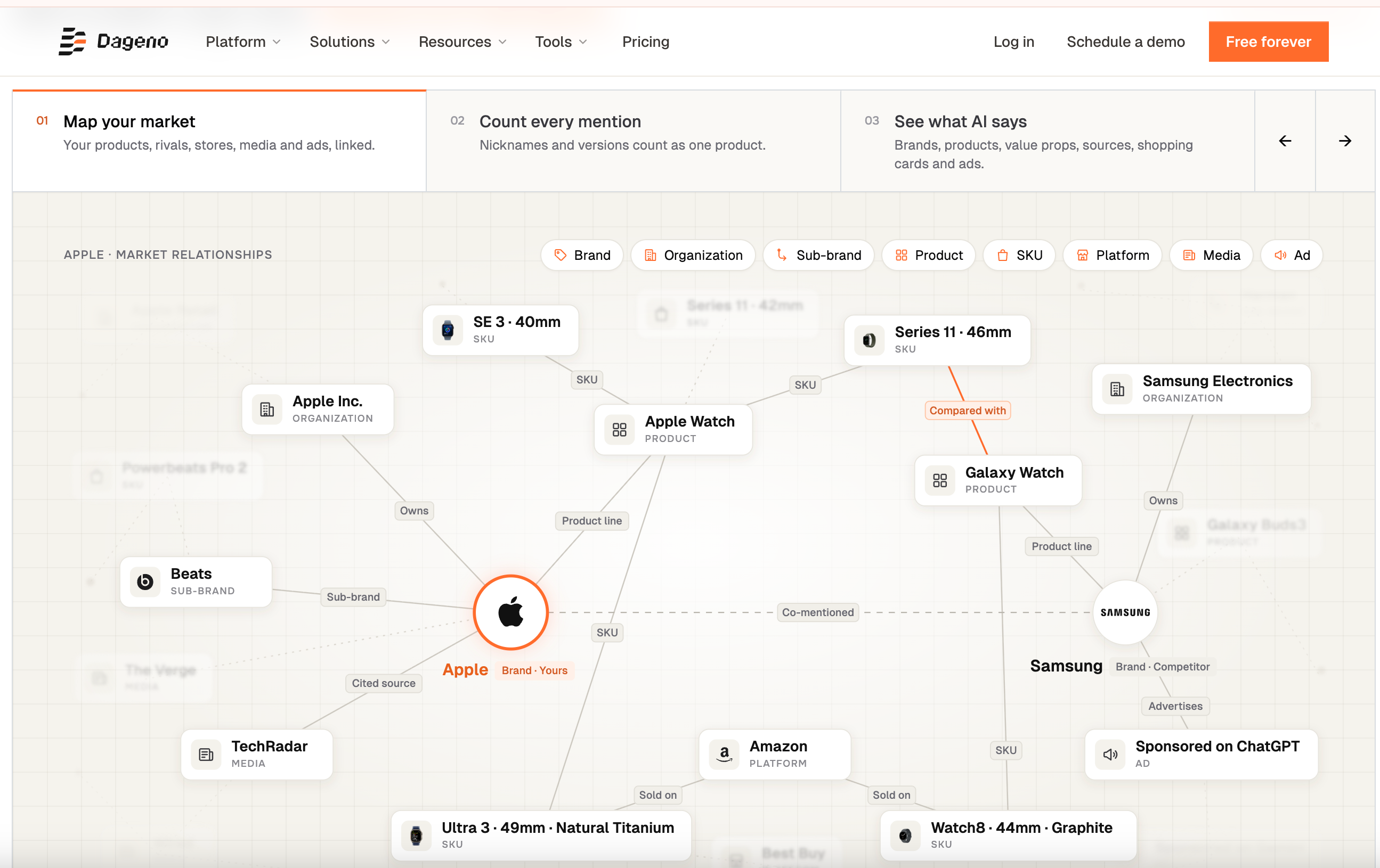
Dageno is an AEO/GEO and AI search market intelligence platform. For SEO agencies, it is not intended to replace Google Search Console, GA4, or a traditional SEO suite. Instead, it fills a growing gap in client reports: how a brand is mentioned, described, cited, and recommended in AI-generated search answers.
Unlike the other tools on this list, Dageno offers two starting points that do not require a paid subscription: a free SEO and GEO/AEO report and the free Brand Explorer. The former can serve as an AI search diagnostic deliverable for prospects or existing clients, while the latter lets agencies examine a brand’s position in AI answers in seconds. Paid plans become relevant when teams need continuous tracking, recurring reports, or multi-client management.
Key Features
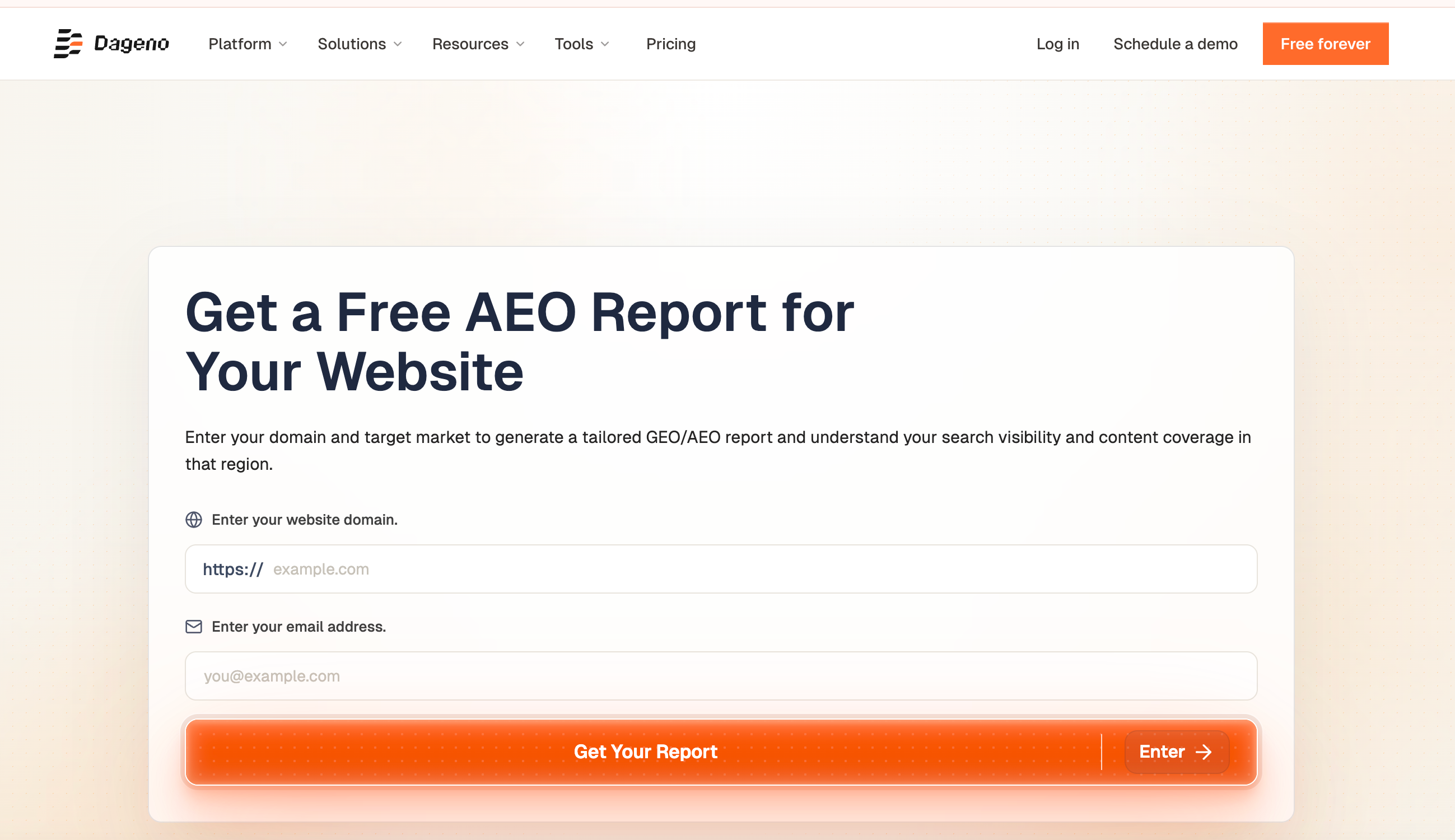
1. Free SEO and GEO/AEO Reports: Generate a Report by Entering a Domain
An agency enters a website domain, target market, and email address to generate a market-specific GEO/AEO report. The report helps assess search visibility and content coverage in that region.
For agencies, the report is itself a client-ready asset. During prospecting, run a report on a potential client’s domain and use the findings to guide a conversation. During an engagement, include it as an AI search section in a monthly or quarterly SEO report.
2. Free Brand Explorer: Assess AI Search Visibility for Any Brand
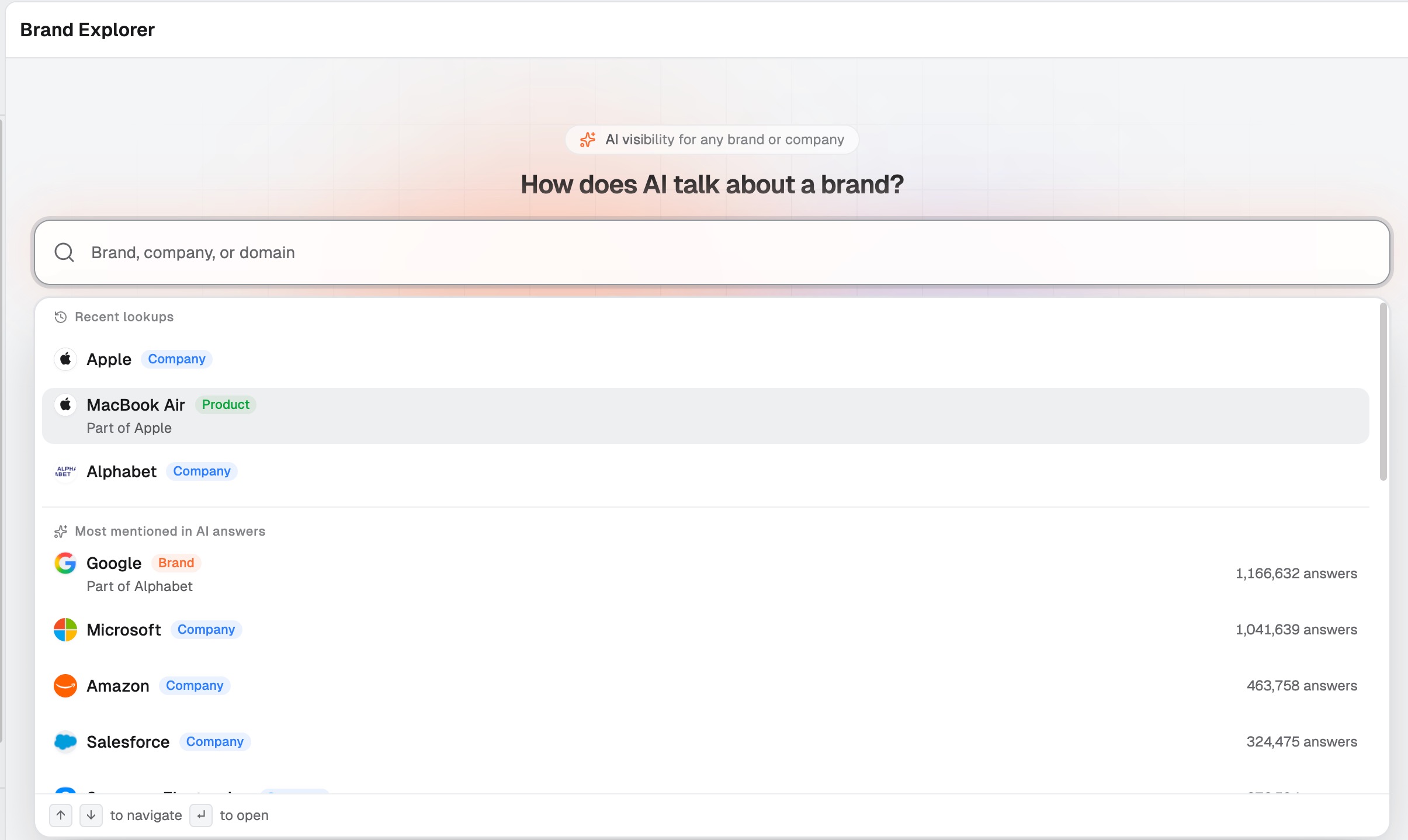
Brand Explorer is Dageno’s free public lookup tool. Enter a company, brand, product, or domain and select a target market—without configuring a brand, competitors, or prompts in advance. Results typically appear in about five seconds, drawing on coverage of more than 12,000 market segments and more than 3 million brands.
The results address four questions: which brands and products contribute to visibility (distinguishing direct brand mentions from mentions through associated products); where the brand appears in AI answers (visibility, first-mention rate, and average mention position); performance across AI platforms and markets; and which competitors and sources are frequently mentioned or cited alongside it.
The data comes from AI answers collected daily by Dageno across nine AI platforms and 86 countries and regions; it is not extracted from any model’s internal knowledge graph. Unlike monitoring that only counts brands and prompts configured by a team, Brand Explorer starts with previously collected answers. This can surface sub-brands, products, and competitors that the team never explicitly added.
3. From Free Diagnostics to Client Reporting
Agencies can combine the two free tools into a lightweight workflow: first, use Brand Explorer to understand a prospect’s approximate visibility relative to competitors in AI answers; second, generate a free GEO report as a diagnostic document to share with the client; and third, once the client confirms a need, set up custom prompt monitoring and incorporate the findings into monthly reporting.
The first two steps require neither an upfront subscription nor a new data collection period. That makes the workflow useful for validating demand for AI search services before sending a proposal.
4. Ongoing Monitoring, Scheduled Reports, and Data Access (Paid)
Dageno’s paid tiers scale with usage. Starter supports single-brand research, content monitoring, and access to raw AI answers. Growth adds AI Shopping, evidence-backed issue and opportunity discovery, priority change alerts, recurring reports, and MCP data access. Scale targets multi-brand or multi-client operations and adds API access, bulk configuration, data exports, and market reports.
The platform also offers ways to analyze data alongside GSC, GA4, and third-party SEO information, plus a partner program with white-label options. If your team plans to connect the data to Looker Studio, BI software, or a client portal—or needs white labeling, client permissions, and automated delivery—confirm the exact methods, fields, and eligible plans during a demo. Do not assume every tier includes these capabilities.
Pricing
Plan / access
Monthly price
Projects
Custom monitored prompts
Main capabilities (per source article)
Free GEO report
Free
—
—
Enter a domain, target market, and email to generate an SEO and GEO/AEO report
Brand Explorer
Free
—
—
Public market lookup for brands, products, competitors, and sources; no setup
Starter
$49*
1
50*
Single-brand research, content monitoring, access to raw answers
Growth
$199
2
250
Adds AI Shopping, evidence-backed opportunities, priority alerts, scheduled reports, and MCP
Scale
$410*
Multi-brand/multi-client; confirm on website
Confirm on website
Adds API, bulk setup, data export, and market reporting
Enterprise / Custom
Custom
Per contract
Per contract
Enterprise data access and custom needs
Standard plans include access to nine AI platforms and more than 86 countries and regions without separate model or region unlock fees. However, monitoring the same prompt across multiple platforms or regions consumes usage separately. The platform shows an estimated usage total before saving. The website also advertises an annual-billing discount of approximately 15%.
Where Dageno Shines
Low-barrier free tools: The free GEO report and Brand Explorer require no paid subscription, making them useful for prospecting and client assessment.
Client-ready output: Reports are generated around a domain and target market and can be used in client conversations or as the AI search section of a monthly report.
No prior setup required: Brand Explorer does not require teams to add brands, competitors, or prompts. Sub-brands, products, and unconfigured competitors can still appear.
Traceable findings: Results draw on collected AI answers, and paid plans allow teams to inspect the underlying answers when validating findings with clients.
Clear upgrade path: Move from free diagnostics to Starter, Growth, and Scale as ongoing tracking, recurring reports, and multi-client needs expand.
Who Dageno Is Best For
Agencies that want to produce AI search diagnostics for prospects quickly and strengthen sales proposals.
Teams that want to add an AI search section to client reports while validating demand at low cost.
Consultancies comparing AI visibility, competitors, and cited sources across brands and markets.
Agencies that may later integrate data into internal reporting systems through MCP or APIs.
2. AgencyAnalytics: Best for Fast White-Label SEO Reporting
AgencyAnalytics is a reporting platform built around agency workflows, with an emphasis on white-label dashboards, automated reports, client access, and multi-channel aggregation. It suits teams that do not want to export data from several tools and manually assemble PDFs or slide decks every month.
Key Features
White-label dashboards and reports: Present reports under the agency’s own branding.
Automated reporting: Create reusable report templates and schedule delivery.
Client and staff access: Configure separate logins and visibility permissions for clients and team members.
Multi-channel integrations: More than 80 integrations spanning SEO, PPC, social media, email, call tracking, and more.
Pricing
Starting price: $79/month. The referenced page lists Agency at $239/month, Agency Pro at $479/month, and custom Enterprise pricing. Verify current tiers and prices before publication.
Where It Shines
White labeling, client permissions, and scheduled reporting are core strengths. Client onboarding and monthly delivery are relatively straightforward, especially for agencies reporting across multiple marketing channels.
Where It Falls Short
Research depth is more limited than in dedicated SEO research suites. The source article notes that native AI visibility monitoring remains limited, and certain metrics or integrations may not cover every team’s requirements.
Who It Is Best For
Agencies that want standardized, quickly delivered white-label reporting with SEO, PPC, social media, and other channel data in one client view.
3. Semrush: Best for Reporting Within a Full SEO and Competitive Intelligence Suite
Semrush suits agencies for which reporting is only one part of day-to-day SEO work. Teams can conduct keyword research, track rankings, audit technical SEO, and analyze competitors in one platform, then organize the results into client reports with My Reports.
Key Features
My Reports: Combine Semrush metrics and third-party sources into customized reports.
Automated delivery: Schedule reports or share live dashboard links.
White-label reports: Add agency branding and export in client-friendly formats.
Complete SEO toolset: Connect reporting with rank tracking, audits, keyword research, and competitive analysis.
Pricing
Pro costs $139.95/month (equivalent to $117.33/month with annual billing); Guru costs $249.95/month; Business costs $499.95/month. The AI Visibility Toolkit has an additional fee starting at $99/month.
Where It Shines
Reporting connects directly to SEO research and implementation. Third-party data can be incorporated, making Semrush useful for agencies seeking an integrated SEO stack.
Where It Falls Short
The learning curve can be steep. AI visibility features may require an extra subscription, and workflows across modules may not feel intuitive to new users.
Who It Is Best For
SEO agencies that need reporting alongside technical audits, keyword research, rank tracking, and competitive analysis.
4. SE Ranking: Best for White-Label SEO Reports and Client Management
SE Ranking combines a white-label platform, client access, and SEO tools. Agencies can deliver services with their own branding, domain, and login experience, while Agency Pack adds reporting automation and client-oriented features.
Key Features
White-label platform and reporting: Customize logos, colors, domains, login pages, and report branding.
Client seats and permissions: Give clients access to selected tools and data views.
SEO tools: Integrate reporting with rank tracking, website audits, and competitive research.
Pricing
Core costs $129/month and Growth costs $279/month. Agency Pack adds $69/month under the annual-billing plan. Confirm current packages and add-ons on the official website.
Where It Shines
Agency workflows are clearly defined, with options for a more complete branded client experience. Reporting is balanced with traditional SEO capabilities.
Where It Falls Short
Feedback on some reporting experiences varies. Advanced AI features may require add-ons or higher tiers, and some white-label functions need additional configuration.
Who It Is Best For
SEO agencies that want a branded client portal alongside ranking, audit, and competitor research tools.
5. Google Search Console: Best for First-Party Google Search Data
Google Search Console is not a full agency reporting platform, but it is an essential source of first-party Google organic search data. It provides clicks, impressions, CTR, average position, queries, pages, and indexing status for analysis, export, or use in custom reporting systems.
Key Features
Performance reports: Review clicks, impressions, CTR, average position, queries, and pages.
Indexing and issue monitoring: Understand indexing status and search-related website problems.
Bulk export to BigQuery: Continuously export Search Console data.
API: Support custom reports and automated data workflows.
Pricing
Free.
Where It Shines
Provides Google search data directly. Technical and indexing information helps explain SEO performance, while BigQuery and the API can power an agency’s underlying reporting data layer.
Where It Falls Short
No built-in white-label client reporting. It covers Google Search, not brand mentions inside AI assistants, and it is not a cross-LLM prompt or citation analysis tool.
Who It Is Best For
Useful as a data source for virtually all SEO agencies, especially those building custom reporting with BigQuery or APIs.
6. Google Analytics 4 (GA4): Best for First-Party Traffic, Engagement, and Conversions
GA4 provides the performance layer after someone clicks through from search to a client’s website. Agencies can use it to explain what organic search visitors do on-site, how they engage, and whether they convert, then send data to other dashboards and reports through the Data API.
Key Features
Traffic and engagement: Analyze users, sessions, engagement, and key events.
Conversion analysis: Track business goals and key events.
Custom reporting: Organize data and navigation around the client’s objectives.
Data API: Enable flexible extraction and automated reporting.
Pricing
The standard version of GA4 is free. Enterprise analytics offerings and data usage limits are subject to Google’s current terms.
Where It Shines
Connects rankings and clicks to on-site behavior and conversion outcomes. Its first-party data and API are useful for custom reporting.
Where It Falls Short
It cannot explain ranking changes on its own. Agencies must maintain tracking configurations and consistent event definitions. It is neither a white-label SEO reporting system nor an AI brand mention monitoring tool.
Who It Is Best For
Any agency that needs to explain the quality, engagement, and conversion outcomes of SEO traffic.
7. Looker Studio: Best for Combining Data Sources into Shareable SEO Dashboards
Looker Studio suits agencies that want to design client dashboards themselves. Teams can connect SEO, analytics, advertising, and other marketing data sources to display the KPIs that matter to each client in one place.
Key Features
Multiple data connectors: Bring different platforms into a single report.
Custom dashboards: Design charts and pages around client KPIs.
Collaboration and sharing: Work together, embed reports, and share links.
Scheduled delivery: Looker Studio Pro provides planning capabilities suited to recurring delivery.
Pricing
Standard Looker Studio is free. Check current Google pricing for Pro and separate charges for third-party connectors.
Where It Shines
Highly flexible and suited to cross-channel reporting. Agencies can design around client KPIs rather than fixed templates.
Where It Falls Short
Teams must build and maintain dashboards themselves. Some sources require paid connectors, and output quality depends on data modeling and configuration.
Who It Is Best For
Agencies with analytics or data resources that want customized, shareable client reporting.
8. Ahrefs: Best for Reports Tied to Rankings, Backlinks, Technical SEO, and Competitor Research
Ahrefs suits agencies that want to create client analyses directly from their everyday SEO research environment. Its Dashboard, reporting tools, and Looker Studio connector can present rank tracking, Site Audit, and Site Explorer data.
Key Features
Rankings and keywords: Present keyword performance and changes in rankings.
Backlink analysis: Report backlink and referring-domain metrics.
Technical audits: Bring website health and detected issues into SEO updates.
Looker Studio connector: Incorporate Ahrefs data into custom dashboards.
Pricing
The source article lists a starting price of $129/month. Confirm current plans, usage allowances, and connector requirements on the Ahrefs pricing page.
Where It Shines
Reporting stays close to day-to-day SEO execution. It works well for rankings, backlinks, and site audit services, helping agencies explain their optimization work in depth.
Where It Falls Short
Not a dedicated white-label reporting delivery system. Client deliverables may require additional assembly, and project and data limits vary by plan.
Who It Is Best For
Agencies that focus on rankings, backlinks, technical SEO, and competitive research as their main services.
9. DashThis: Best for Quickly Building Client-Ready SEO Dashboards
DashThis emphasizes report delivery more than in-depth SEO research. It suits agencies that already use other SEO tools but want an easier way to package the results into dashboards and send them to clients regularly.
Key Features
Automated dashboards: Cut down on repetitive reporting work.
Report templates: Set up common client views quickly.
Data aggregation: Pull existing marketing metrics into a more unified interface.
Client presentation: Make reports easy to share and read.
Pricing
The source article lists a starting price of $49/month. Actual pricing depends on the current plan and number of dashboards.
Where It Shines
Well suited to recurring monthly reports. Templates reduce setup time, and the client-facing presentation is relatively straightforward.
Where It Falls Short
Not an in-depth SEO research tool. It depends on existing data sources, and complex custom analysis may require other software.
Who It Is Best For
Agencies that already have SEO data tools and primarily need faster report assembly, presentation, and delivery.
10. Whatagraph: Best for Cross-Channel White-Label Reports and Polished Dashboards
Whatagraph suits agencies that need SEO, PPC, social media, and other marketing metrics in a single branded report. Its emphasis is cross-channel presentation and client reporting.
Key Features
Cross-channel reporting: Combine SEO, PPC, social, and other marketing data.
White-label dashboards: Present reports with agency branding.
AI-assisted report creation: Help teams assemble reports faster.
Client presentation: Designed for teams that prioritize visuals and cross-channel summaries.
Pricing
The source article lists a starting price of $229/month. Confirm current tiers and source allowances with the provider.
Where It Shines
Strong fit for cross-channel client reporting. Visual presentation and branded reports are major benefits, and data from multiple platforms can be centralized.
Where It Falls Short
It may be more than necessary for basic SEO reporting. Agencies still need to verify connector availability and field-level support for their cross-channel data.
Who It Is Best For
Agencies serving SEO, PPC, and social media clients that require high-quality, white-label reports across channels.
11. Raven Tools: Best for Traditional SEO Reporting and Familiar White-Label Workflows
Raven Tools suits agencies that prefer traditional reporting for SEO, PPC, and broader marketing summaries. Its drag-and-drop report creation and scheduled or on-demand delivery support teams that need consistent, repeatable reports.
Key Features
Drag-and-drop reporting: Arrange report content to match client requirements.
Scheduled or on-demand delivery: Support regular reporting and ad hoc requests.
Report summaries: Bring SEO and marketing performance into one overview.
Multi-client reporting: Reuse standard report workflows across clients.
Pricing
The source article lists a starting price of $49/month. Verify current plan limits and included features on Raven Tools’ pricing page.
Where It Shines
The reporting workflow is familiar and straightforward. It supports recurring delivery and may be sufficient for teams with basic needs.
Where It Falls Short
Compared with newer analytics workspaces, cross-channel and AI search capabilities may need supplementation from other tools. In-depth SEO research still depends on separate platforms.
Who It Is Best For
Agencies that prefer traditional SEO/PPC reporting, drag-and-drop report builders, and scheduled delivery.
How to Choose the Best SEO Reporting Tool for Your Agency
When evaluating SEO reporting tools for agencies, consider the following five criteria.
1. Report on AI Search, Not Just Traditional Organic Search
Traditional SEO reports focus on keyword rankings, clicks, traffic, indexing, and conversions. Clients may also want to know how visible their brands are in AI search experiences such as ChatGPT, Gemini, and Google AI. If these questions are coming up, agencies should consider adding AI answers, brand mentions, citations, and competitor benchmarks to existing SEO reports. Dageno is positioned to complement conventional SEO data sources rather than replace them; its free GEO report and Brand Explorer provide a low-cost starting point.
2. Check Whether the Tool Supports Real Agency Workflows
The tool should work across multiple clients and brands. Check project limits, client seats, data permissions, API access, white-label reporting, scheduled delivery, integrations, and custom monitoring. Confirm whether these are available in base plans or require add-ons, partner approval, or enterprise agreements. Dageno offers free GEO/AEO reports and Brand Explorer, while paid tiers add recurring reports, MCP, APIs, and bulk operations. Verify white-label client portals, permissions, and automated distribution separately.
3. Match Reporting to Your Client Types
Different clients need different reports. Ecommerce clients may care about product keywords, purchase intent, and competing recommendations. B2B SaaS companies may prioritize industry questions, solution categories, product differentiators, and competitor comparisons. Local businesses often focus on geography, service coverage, and local search performance. Reporting software should let agencies organize data around client KPIs rather than impose the same metric set on everyone.
4. Calculate Costs as Client Volume and Reporting Frequency Grow
The true cost of a reporting tool goes beyond its monthly subscription. Client projects, dashboard counts, data sources, user seats, delivery frequency, API usage, and white-label features can all affect the bill. Model realistic workflows for one, three, and five clients: count the sources, projects, reports, client logins, and any extra AI visibility data required. Dageno’s free GEO report and Brand Explorer allow teams to validate demand at no initial cost. For ongoing monitoring, select Starter, Growth, or Scale based on project scope and tracking needs—not just the advertised entry price.
5. Prioritize Trustworthy Data and Business-Relevant Explanations
Professional reports should identify the source, date, scope, and definition of every metric. Google Search Console clicks and impressions, GA4 sessions and conversions, third-party rank tracking, and brand mentions in AI-generated answers are different kinds of evidence. They should not be collapsed into a single “SEO score.” When metrics change, explain plausible causes and next steps. Without supporting traffic, lead, or order data, do not equate an increase in visibility with revenue growth.
Add AI Search Reporting to Your Agency SEO Stack: Start with Dageno's Free GEO Report
Clients increasingly want more than their Google rankings. They want to know how AI search systems describe their brands, which competitors get recommended, which pages are cited, and where their brands are missing from relevant questions and markets. Traditional SEO reporting remains essential, but it cannot answer all of these AI search questions on its own.
Dageno provides two free entry points. Enter a domain and target market to generate a free SEO and GEO/AEO report, or use Brand Explorer to examine the AI-answer visibility, competitors, and cited sources of a company, brand, or product. Neither tool requires a paid plan, making them useful for testing client demand during prospecting and in recurring client reporting.
If your agency is expanding into AEO/GEO services, start by generating a free GEO report for a real client. Then decide whether ongoing monitoring, scheduled reports, or multi-client management would add value.
The best SEO reporting tool for an agency depends on how it serves clients. For white-label dashboards and automated monthly delivery, compare AgencyAnalytics, DashThis, and Whatagraph. For reporting tied to traditional SEO research and implementation, Semrush, SE Ranking, and Ahrefs are stronger fits. To build custom reports from first-party Google data, combine Search Console, GA4, and Looker Studio into a flexible reporting stack.
Dageno is a fit for agencies looking to add AI search diagnostics to existing SEO reporting. It does not replace conventional SEO data tools, but its free GEO report and Brand Explorer let teams produce an initial AI search assessment without subscription costs, with the option to upgrade later for monitoring and scheduled reports.
Before making a final decision, test the full workflow with one real client: connect data sources, build a report, review client access, test scheduled delivery, and record the manual preparation time. Compare total costs against client volume, data requirements, and reporting frequency rather than focusing only on starting prices.
About the Author
Updated by
Dageno
Dageno is the research and insights team at Dageno AI, publishing industry reports and expert analysis on AI Search Visibility, Generative Engine Optimization (GEO), and AI-powered search discovery.
 Alexa for Shopping